The Conversation (0)
Related Video: Samson - Official Ray Tracing and DLSS 4.5 Trailer
IGN / VideoElephant
Every now and again, there's a bit of tech that releases that completely knocks your socks off.
In the world of gaming, when graphics are already so good with high resolutions and incredible frame rates, any improvements are usually quite granular and you scarcely see anything revolutionary anymore.
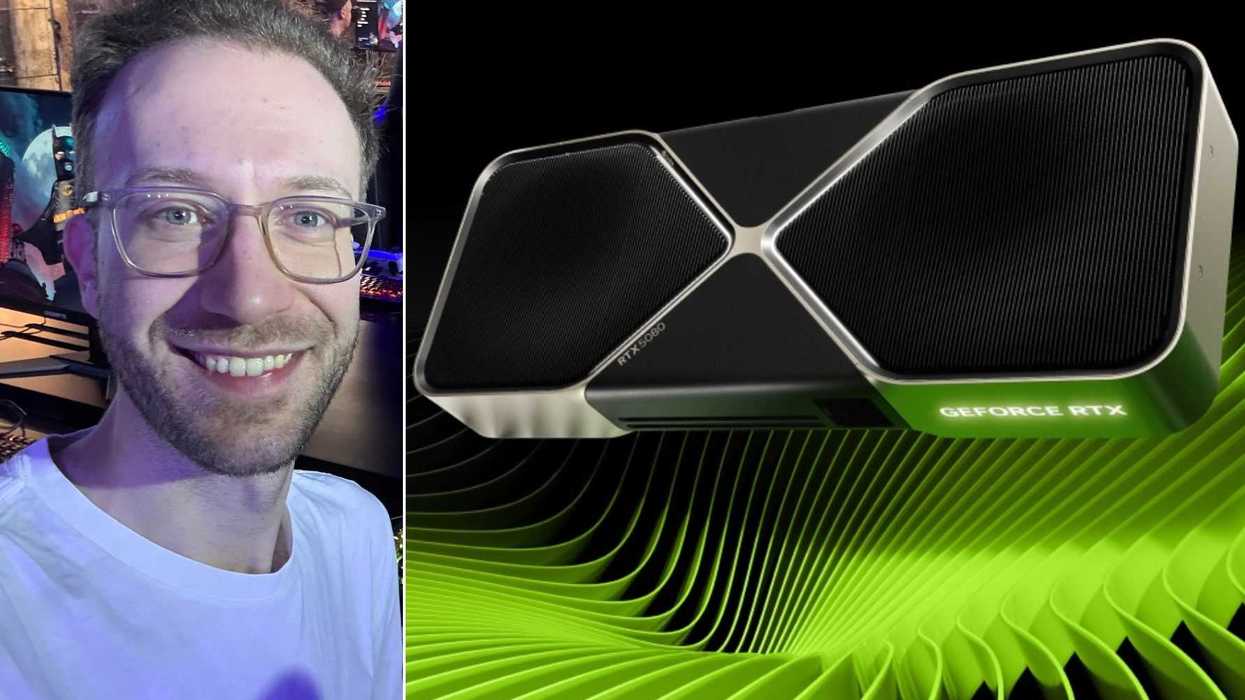
I've finally had the chance to check out Nvidia DLSS 4.5. Being traditionally more of a console than a PC gamer in the past, I've been keen to dive in to properly see what all the fuss is about.
And, my word, I've been completely sold on just how good DLSS 4.5 is and the vast improvement it makes to PC games.
I've been checking out DLSS 4.5 on my gaming PC, which has AMD RYZEN 7 9800X3D CPU, Nvidia GeForce RTX 5080 GPU, 32GB RAM, 16GB VRAM and 2TB SSD on an ASUS ROG STRIX XG27ACMS 27" monitor.
Some game codes have been provided by Nvidia for the purposes of trying out DLSS 4.5 and I've also tried out further games on top of this. To note, the screenshots through this article have been compressed but are designed to give an illustration of the fps counter and performance settings which can be seen in the top right of each screenshot.
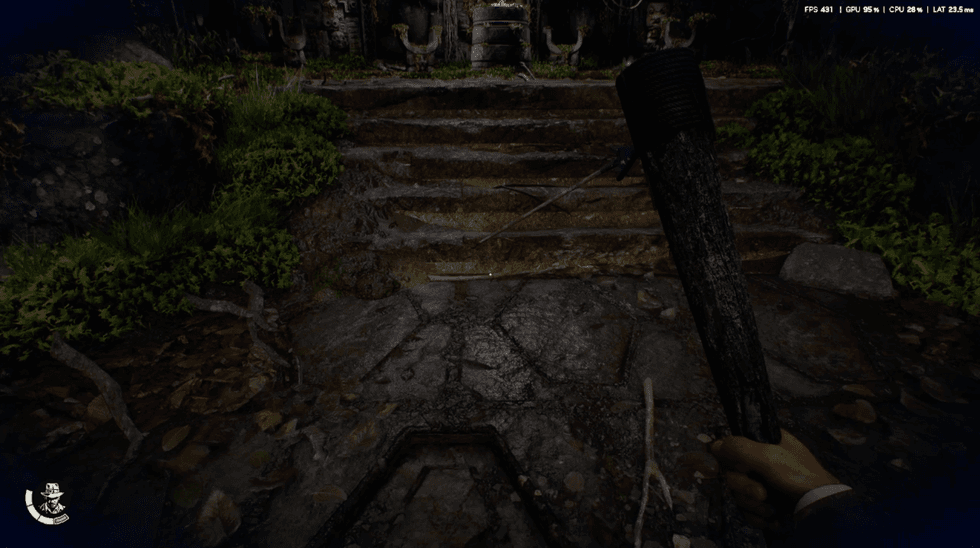 Indiana Jones and the Great Circle running at 431fps on PC with the help of Nvidia DLSS 4.5 / Bethesda, XBOX Game Studios
If you're new to DLSS 4.5, it's Nvidia's AI rendering technology. Basically, through the power of AI, it delivers sharper image quality while also being able to handle dynamic multi-frame generation simultaneously.
That means it uses AI to make games run much more stable at higher resolutions (with enhanced ray-traced visuals and a reduction in ghosting) with high fps (frames per second) counts, making games not only look better but perform strongly as well.
Usually, you have to choose whether to prioritise fidelity or performance, and while you can continue to do that with DLSS 4.5, you can do this to much more extreme lengths with the middle ground between the two noticeably stronger.
In the Nvidia app, this can universally be set and forgotten about, meaning every game that supports it will have it enabled. Ensure the latest drivers are installed too. To note, DLSS 4.5 is optimised for the 40 and 50 series of Nvidia GPUs.
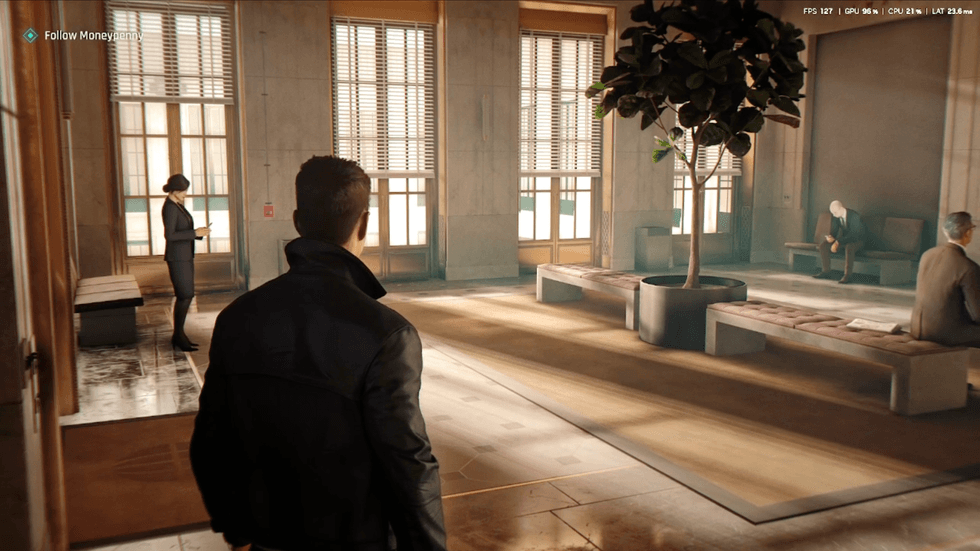 007 First Light running at 127fps on PC with max graphics settings showing how good the lighting looks with the help of Nvidia DLSS 4.5 / IO Interactive, Amazon MGM Studios
I'll go through each game I've tried out individually but the overriding theme is that the middle ground of fidelity and performance with DLSS 4.5 in effect is mind boggling and each end of the scale is extreme in a good way.
Starting with game codes provided by Nvidia and the recently released 007 First Light, I did have to turn off the V-Sync display setting that's automatically enabled to get the game running at an uncapped frame rate but that was the only thing I needed to toggle before seeing DLSS 4.5 pulling its weight already.
I maxed out all the graphics settings I could and still found 007 First Light running consistently between 110-130fps during cutscenes and quieter moments.
The fps count did drop more to around 95-110fps during action heavy moments, or when there's a lot happening on screen, but considering 60fps (or up to 120fps on PS5 Pro) is pretty much the benchmark on consoles, to achieve this level while maintaining a stable, high resolution with no noticeable issues is superb.
At the other end of the scale, with the settings decreased a bit, I was getting frame rates comfortably in the hundreds across the board.
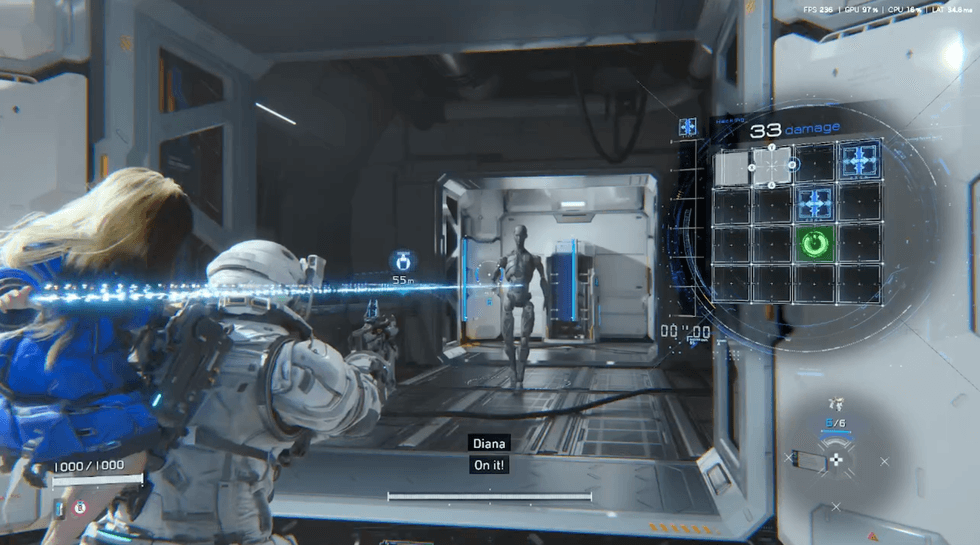 Pragmata running at 236fps on PC during combat with the help of Nvidia DLSS 4.5 / Capcom
Next up, I tried Indiana Jones and the Great Circle and found frame rates of up to 400fps during gameplay, rarely ever dipping below 300, with an average of 240fps in cutscenes with high graphics settings. This was handled with ease and looked incredible.
With Pragmata, again I pushed all the settings I could to the max and the game scarcely dropped below 200fps, consistently running between 220-260fps. And again that was with everything pushed up as much as I could.
Checking out a couple of other games, Crimson Desert has had its issues with DLSS 4.5 at launch but Nvidia has since provided more support for this title.
When checking it out with a balanced set up between fidelity and performance, I found it looked good and was stable around the 80-90fps mark but this wasn't pushing the boundaries of the settings. It still looked great and ran smoothly though.
And finally, again I maxed out the graphical settings on EA Sports F1 25 2026 Season Pack and even with the fast-paced action, I still found a consistent 150-200fps count.
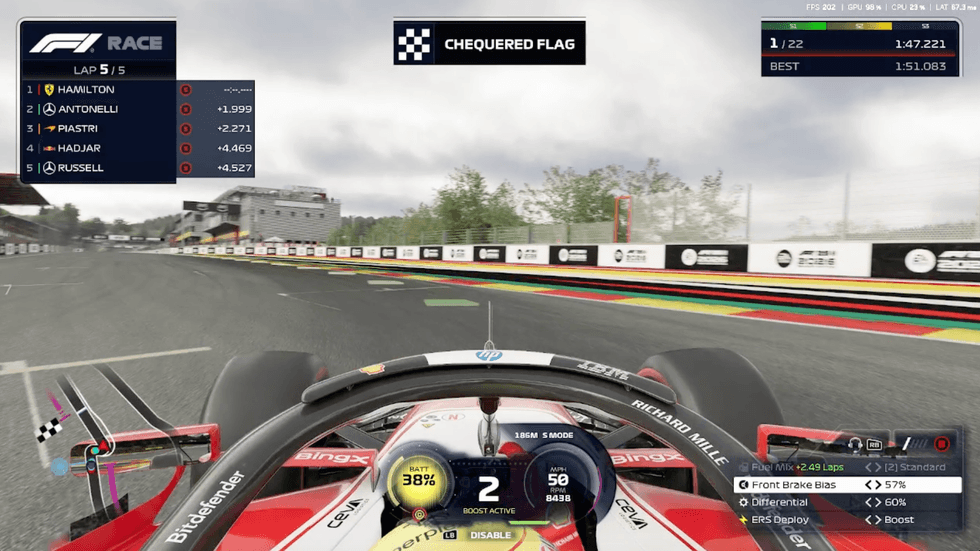 EA Sports F1 25 2026 Season Pack running at 202fps on PC with the help of Nvidia DLSS 4.5 / EA Sports
Overall, my mind has been blown at just how good Nvidia DLSS 4.5 looks and the positive impact it can have on how games look and perform.
In some cases, games can run the highest graphics settings while still maintaining incredibly strong performance in terms of frame rates with very minimal issues such as any stuttering or tearing.
If you need more of a middle ground to run games how they should without sacrificing too much in terms of fidelity, then the average mid-point is really strong too across the board.
As a traditional console player where you usually have to choose between fidelity or performance modes, having the best of both work so well with DLSS 4.5 in action across PC games has absolutely blown my mind.
Elsewhere from Indy100:
- I built my first gaming PC - and it's so much easier than I thought
- I've always been a console gamer - but here are five reasons I now love PC gaming
How to join the Indy100's free WhatsApp channel
Sign up to our free Indy100 weekly newsletter
Have your say in our news democracy. Click the upvote icon at the top of the page to help raise this article through the Indy100 rankings.
Top 100