The Conversation (0)
Related video: Fortnite on an INSANE $20,000 Gaming PC
Unbox Therapy / VideoElephant
PC gaming is something I've always been a bit intimidated by. Terms like GPU, CPU and RAM always made it feel like I had no idea where I would even start or what any of it means.
Especially as someone that's always traditionally been a console gamer where your hardware comes pre-prepared and all you have to do is plug in and play.
I've been gaming since 1998 when I was just three-years-old and my first console was the family PlayStation 1 which my dad and I played a lot. Only in the past few months have I got into PC gaming.
And it's great. I love it. I have an Acer Predator Helios 16 AI with an Intel Core Ultra 9 Processor, NVIDIA GeForce RTX 5070 Ti GPU and 32GB of RAM and, to put it bluntly, it's fantastic.
Even owning a base PS5, my gaming laptop consistently runs at a frame rate consoles can only dream of.
But building a PC? Now that feels like a whole different ball game. Except, when I went hands on and built my own, I found out it really isn't.
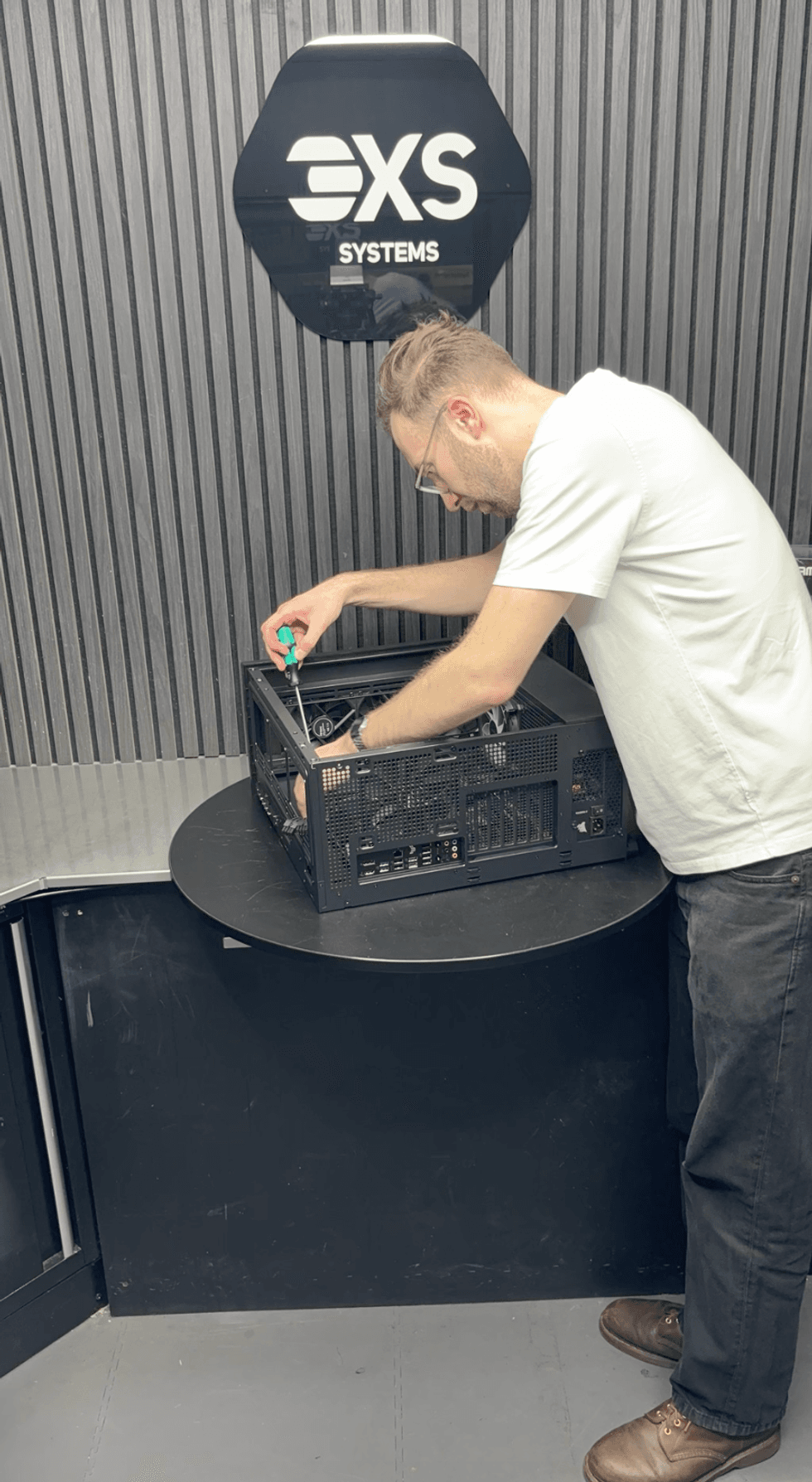 Screwing in the motherboard to the case / indy100
SCAN UK and NVIDIA invited me to SCAN's offices in Bolton to build my own custom PC to find out what it's really like.
If you're buying a custom PC build through SCAN, it offers a Build With Us option where you can build with a professional and this is the experience I had the chance to check out.
Going into it, I had a very basic understanding of what most of the components are but absolutely no idea of how they all came together.
I’ve hand on heart never done anything like this before but was walked through each step by the brilliant Klaus, head of water cooling at SCAN and someone who livestreams building PCs - and it wasn't anywhere near as difficult or intimidating as I thought it would be.
Klaus had pre-prepared some cables on the PC case for me so it wouldn't take up too much time and to keep them nice and tidy. He also walked me through where everything needed to go and what I needed to do at all times.
We started off with the motherboard and the CPU, the chip that goes in the middle of the board. It's essentially the brain of the PC and installing this was simple, putting it in place and making sure it was secure.
We then installed two sticks worth of 32GB RAM on the motherboard and these clipped in place quite easily. 2TB of SSD (storage) then followed and we unscrewed the panel where this slots in before screwing it back in to keep it in place.
As cables were pre-prepared and everything was now connected to the motherboard we could install at this stage, we secured it into the case and started to plug in some of the cables to the motherboard to ensure functions like the power button, aux and USB ports would work.
Next up - the cooling.
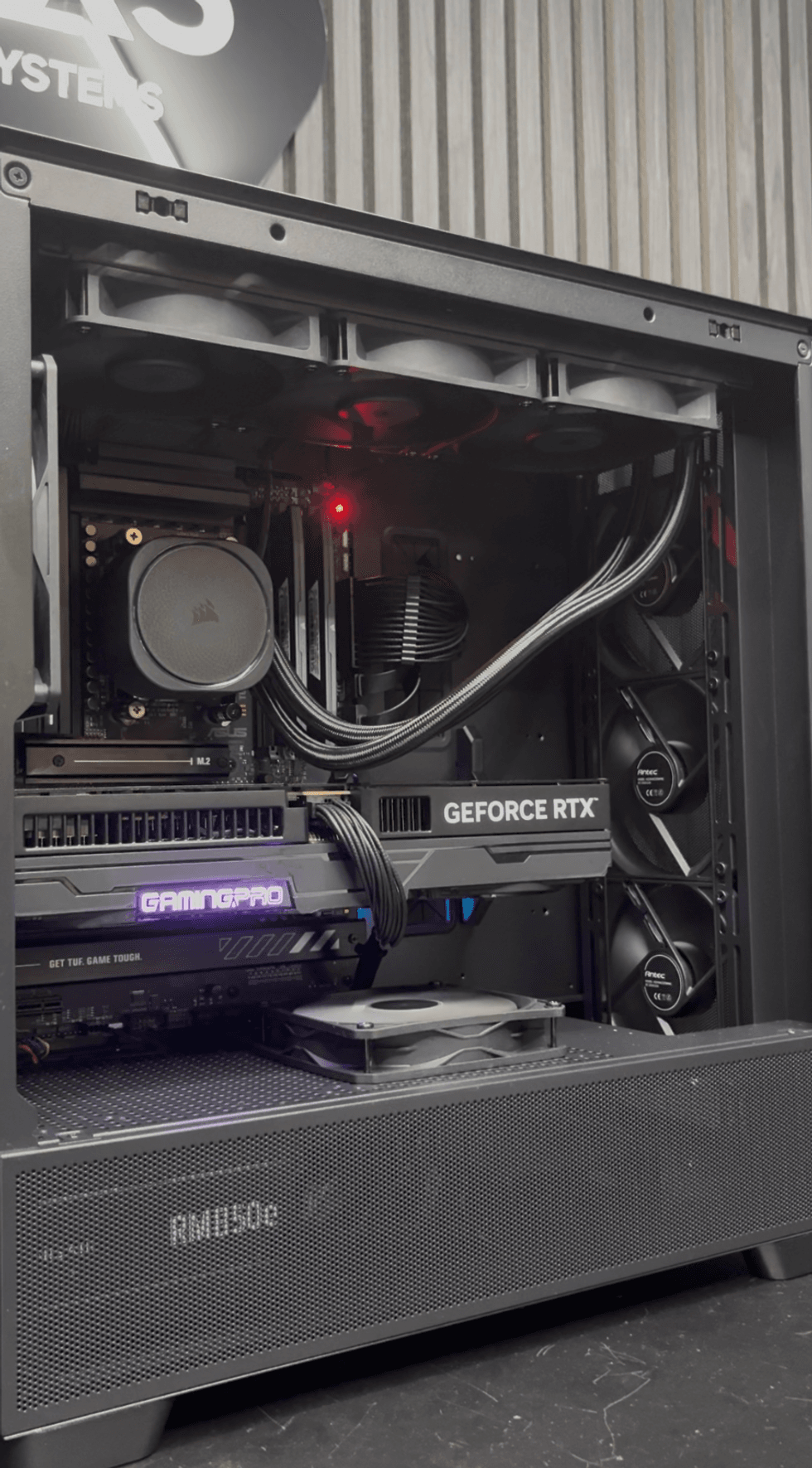 The final build of the interior of the custom PC / indy100
We installed three fans to the top of the radiator on the water cooler and fixed this in place underneath the top panel of the case. We then connected the pump cable to the motherboard just above where the CPU sits.
Next up is the GPU, which in this case was a RTX 5080, and we unscrewed a couple of small panels out one of the sides of the case adjacent to where the motherboard sits and slotted it into the motherboard, then screwing it firmly in place.
Klaus then installed a custom 3D printed SCAN mount to fix it in place on the other side too to make doubly sure it stays in place and won't break when moving it around.
Once that was screwed in, we made our final checks and made sure everything was where it should be, particularly in relation to where all the cables should connect.
Then came the moment of truth... Would it turn on? Would it work?
Klaus sourced a power cable, plugged it in and I pressed the power button.
And... Voila! It worked! That was honestly one of the most satisfying feelings I've had in a very long time.
Now, as mentioned, Klaus had already pre-prepared some aspects in advance for me and this is by no means a comprehensive run down of what to do when building your own PC but it gives you an idea that it's more about learning what goes where. Patience is a key aspect but it's nowhere near as complicated or as time consuming as you might expect.
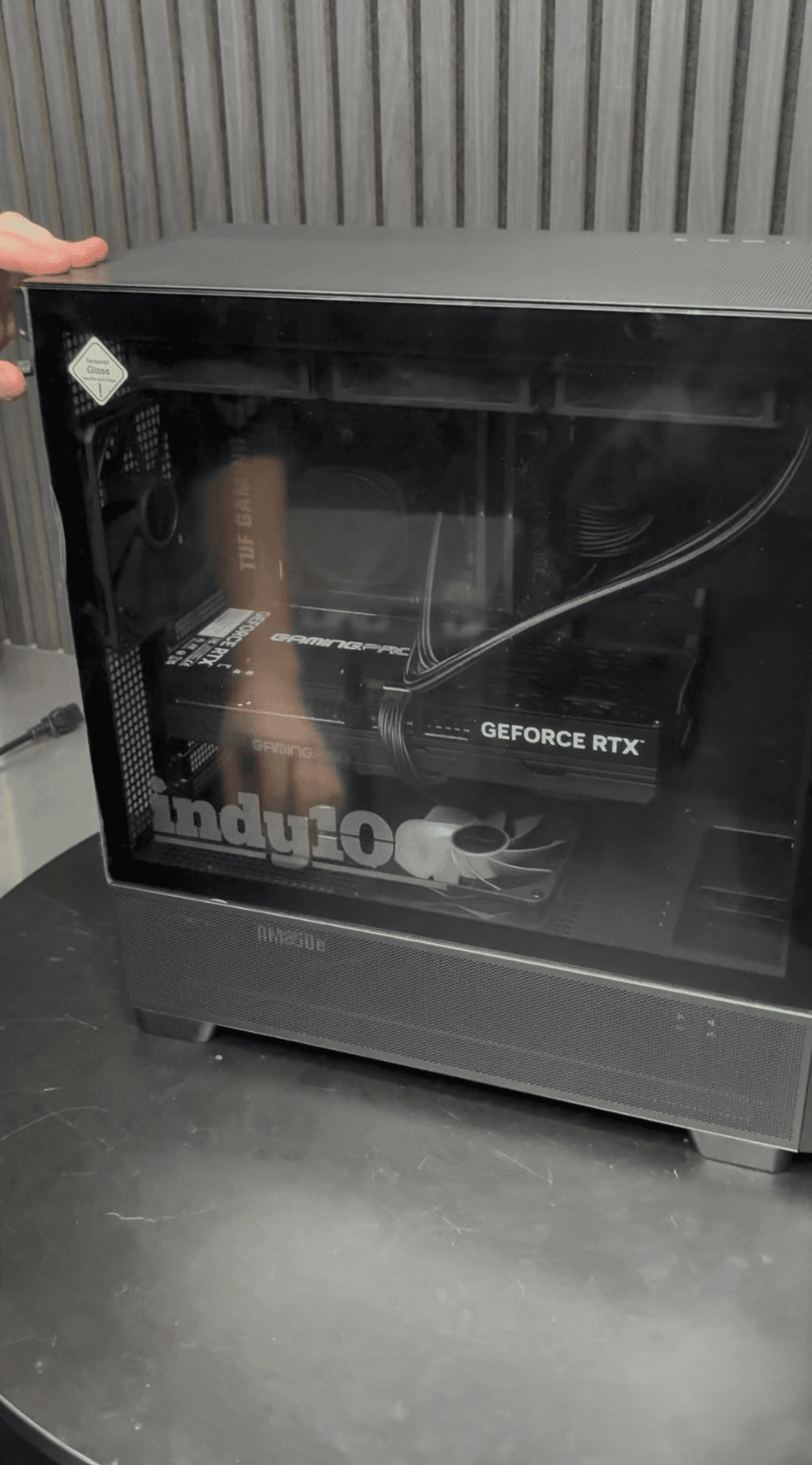 Installing the final panel - complete with the indy100 logo / indy100
Having now built my first PC, my main take from it is that it's nowhere near as complicated as I first thought. There are nowhere near as many things to think about or install as I went into it thinking.
Don't get me wrong, it's not the easiest thing in the world, but a lot of it is down to common sense, taking your time and figuring out where things go. There's even an element of trial and error in some case but patience and persistence is key.
That's because once it works, that moment of finishing up and it turning on successfully is such an immense satisfaction that had me grinning from ear to ear.
Now I have a decent enough understanding of what everything does and where everything goes, if ever I want to replace or upgrade anything I can just switch out that part instead of building the whole thing again.
And don't forget - if ever you get stuck or need a bit of advice, there are loads of videos online and tech pros on hand to help you.
I honestly wish I'd done it years ago and can't wait to properly test out my custom build.
Elsewhere from indy100:
- Indie game developer's passionate plea to you after publicly outing a pirate on Steam
- I've always been a console gamer - but here are five reasons I now love PC gaming
How to join the indy100's free WhatsApp channel
Sign up to our free indy100 weekly newsletter
Have your say in our news democracy. Click the upvote icon at the top of the page to help raise this article through the indy100 rankings.
Top 100